> ## Documentation Index
> Fetch the complete documentation index at: https://docs.aside.com/llms.txt
> Use this file to discover all available pages before exploring further.
# Get help with Aside
> Aside Help Center for setup, tasks, automation, privacy, and support.
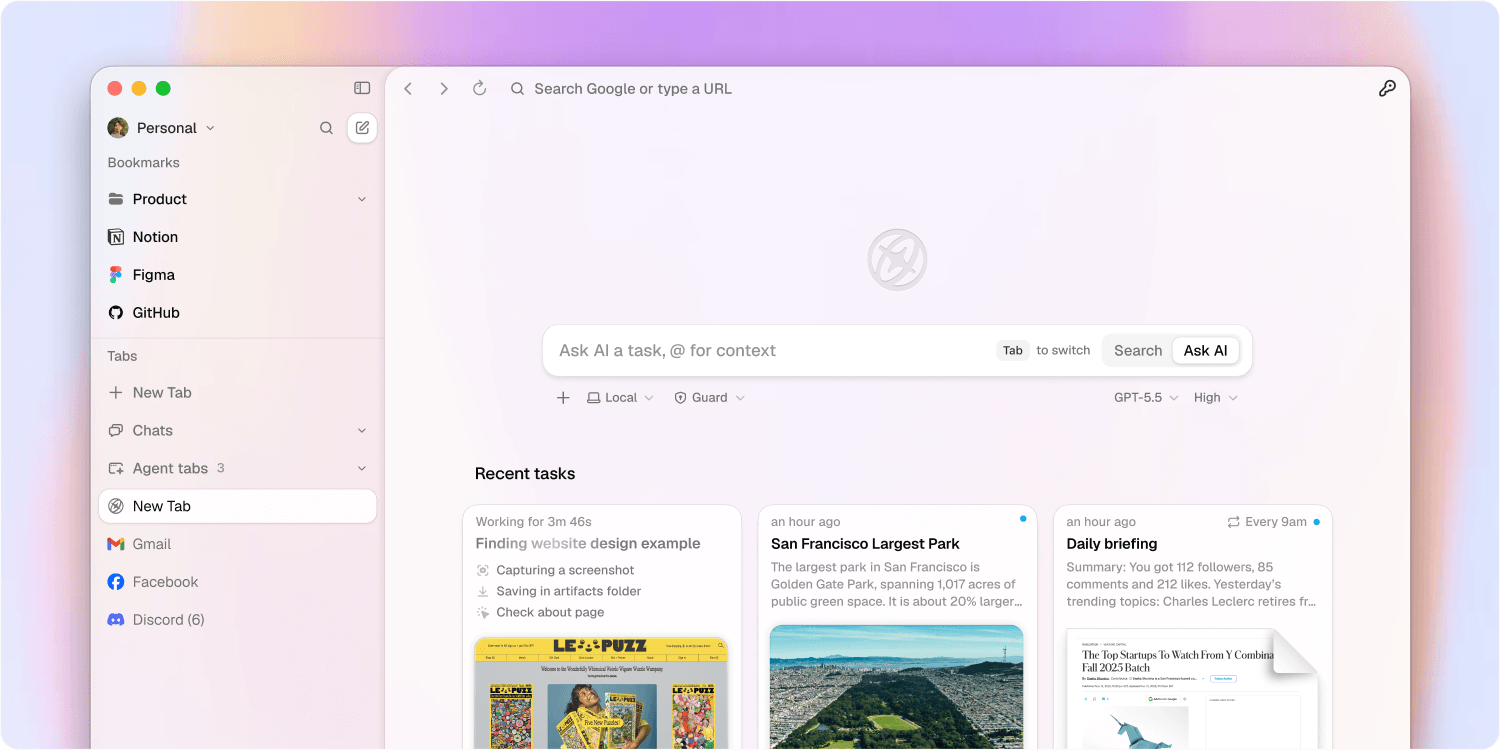 # Aside
Aside is an AI browser that gets complex work done across your websites, accounts, and history.
Use this Help Center to set up Aside, run tasks, manage automation, use Password Manager, control permissions, and collect support details when something breaks.
## Start here
Set up Aside, import browser data, and start your first task.
Set task mode, permissions, folders, and follow-up behavior.
Learn how Aside signs in with saved credentials while keeping passwords hidden from agents.
Fix waiting tasks, stuck tasks, autofill issues, and import problems.
# Aside
Aside is an AI browser that gets complex work done across your websites, accounts, and history.
Use this Help Center to set up Aside, run tasks, manage automation, use Password Manager, control permissions, and collect support details when something breaks.
## Start here
Set up Aside, import browser data, and start your first task.
Set task mode, permissions, folders, and follow-up behavior.
Learn how Aside signs in with saved credentials while keeping passwords hidden from agents.
Fix waiting tasks, stuck tasks, autofill issues, and import problems.